Reset Password
Last updated: February 26, 2026
How can I reset my password, if I'm not logged in using SSO?
You can reset your password using both the mobile and web app.
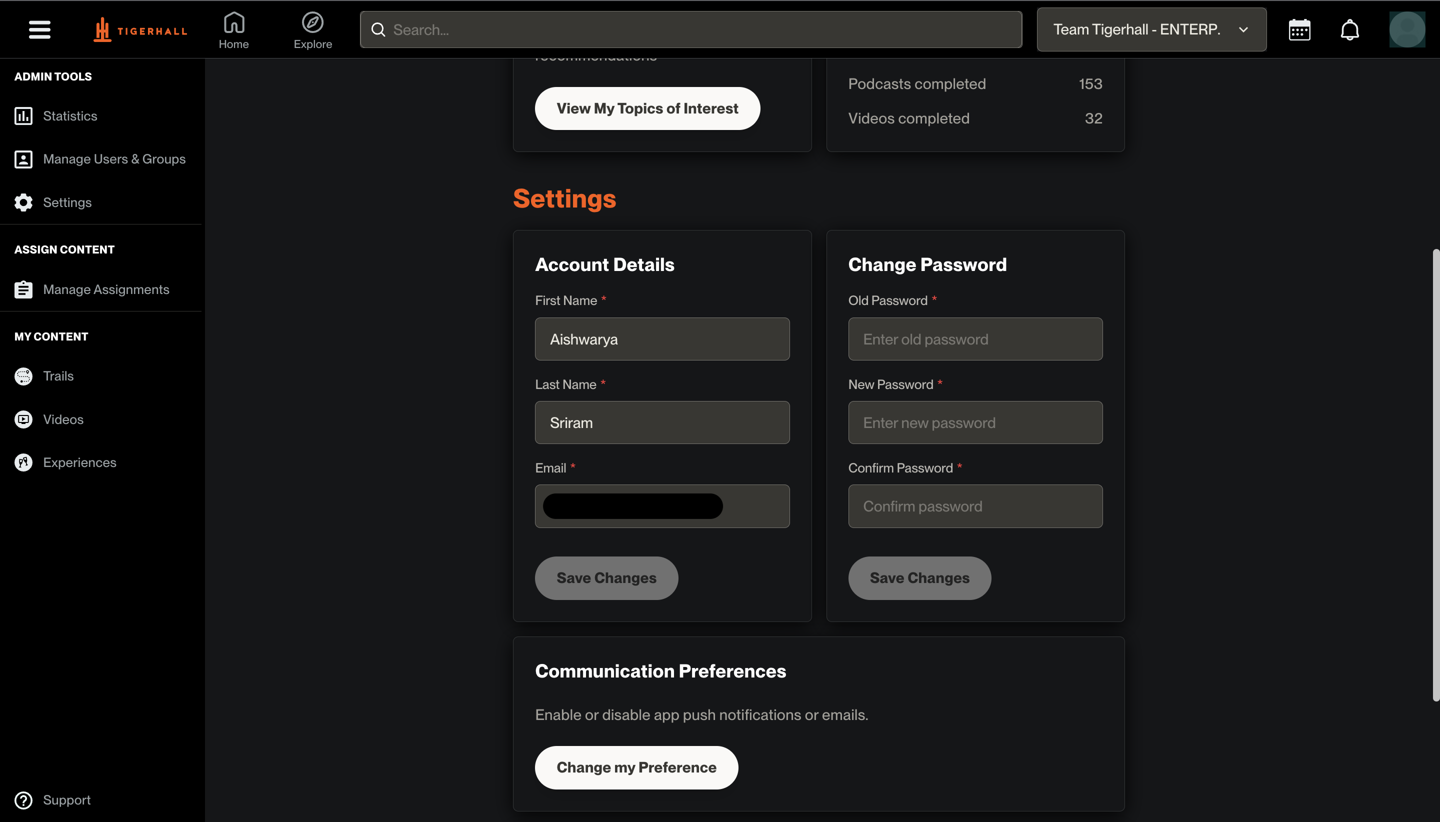
To reset your password on the web app, follow the steps below:
Click on your profile image
Go to Account Settings
Scroll below and use the change password section to reset your password
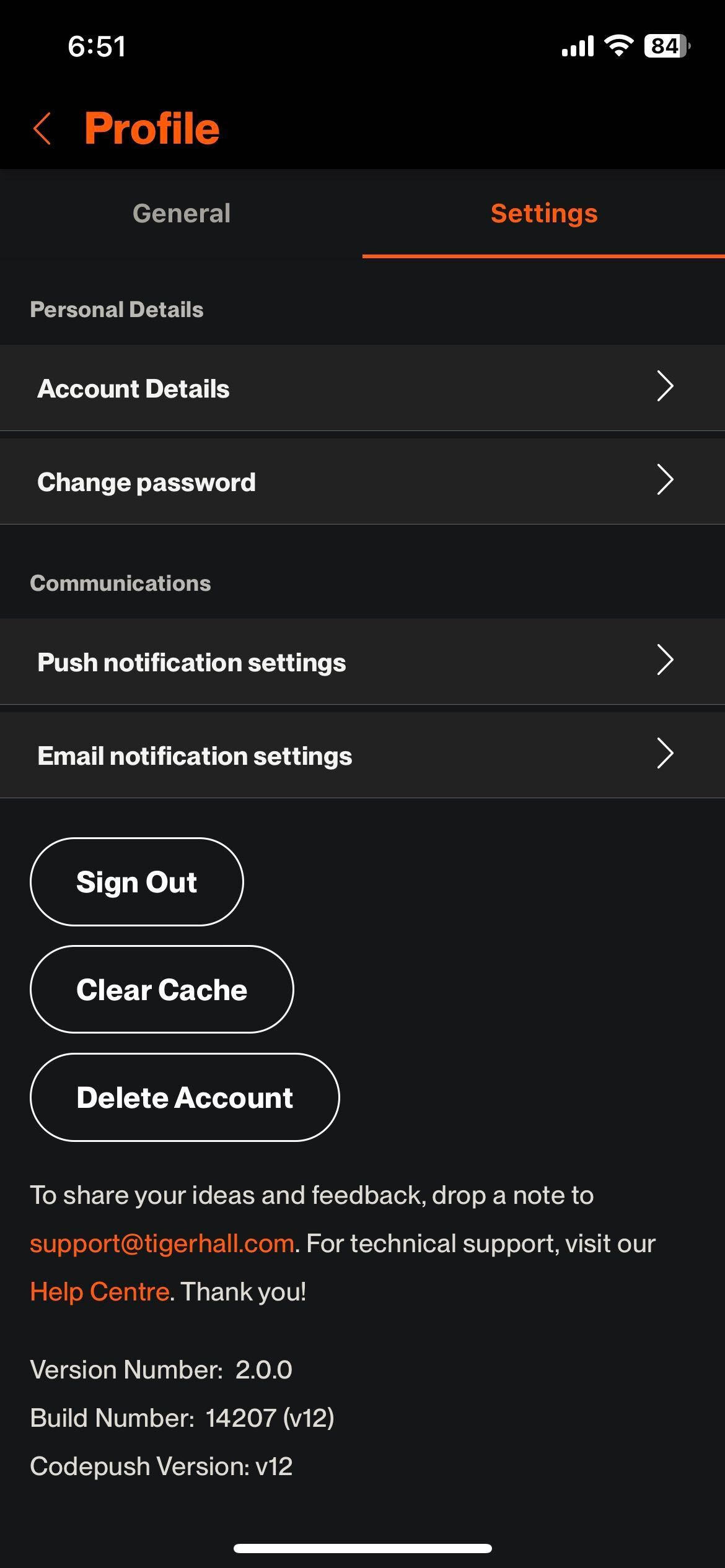
In the mobile app, follow the steps below:
Go to the Profile tab
Click on the settings icon in the top right
Go to the Settings tab
Click on Change Password to reset your password
How can I reset my password, if I'm logged in using SSO?
If you are logged in to Tigerhall using SSO, you will not be able to reset your password. You will have to contact your admin if you have forgotten your login credentials and need to use Tigerhall.